
OpenAI setup guide
Create the OpenAI Admin API key emma needs to import your OpenAI API costs.
Overview
This guide explains how to prepare your OpenAI organization so that emma can access your billing data, and what to provide during the connection setup.
emma requests your cost data from OpenAI directly, once a day — it never accesses your models, prompts, or responses. There is no billing export or storage to set up: you only need an Admin API key.
One data source covers one OpenAI organization, including all its projects. To import costs from another organization, connect it as a separate data source.
Before you start
You need the Owner role in your OpenAI organization to create an Admin API key.
Step 1 — Create an Admin API key
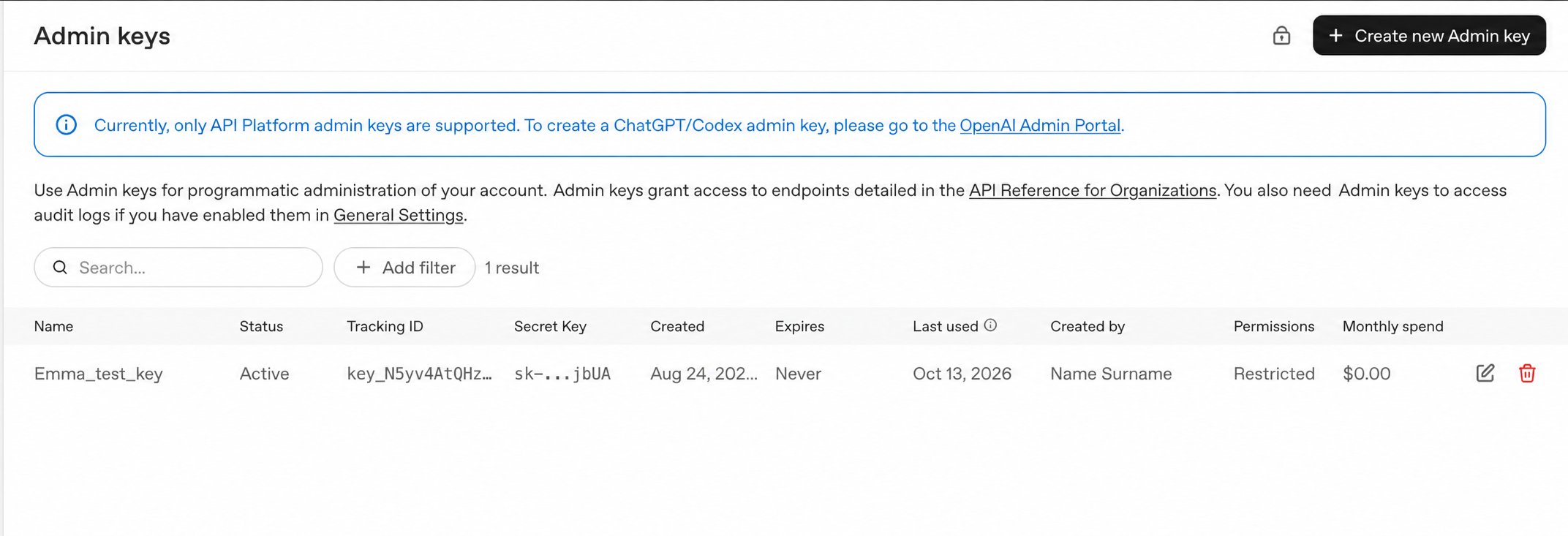
- Open Admin keys in your OpenAI organization settings and click Create new Admin key.
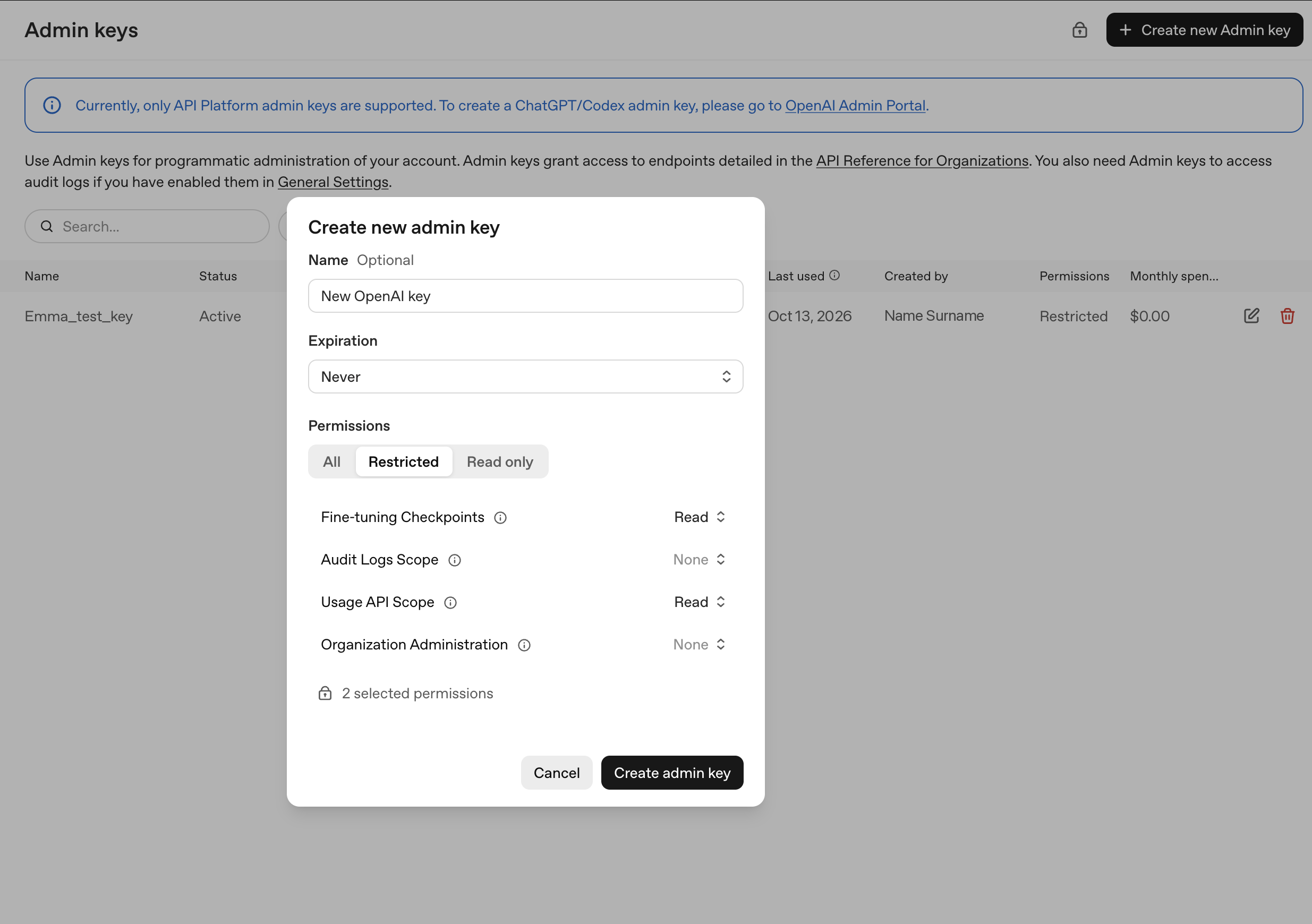
- Enter a Name (e.g. emma-billing).
- Set Expiration to Never. If the key expires, emma stops importing your costs until you reconnect the data source with a new key.
- Under Permissions, select Restricted and set Usage API Scope and Fine-tuning Checkpoints to Read. Leave all other permissions at None.
- Click Create admin key.
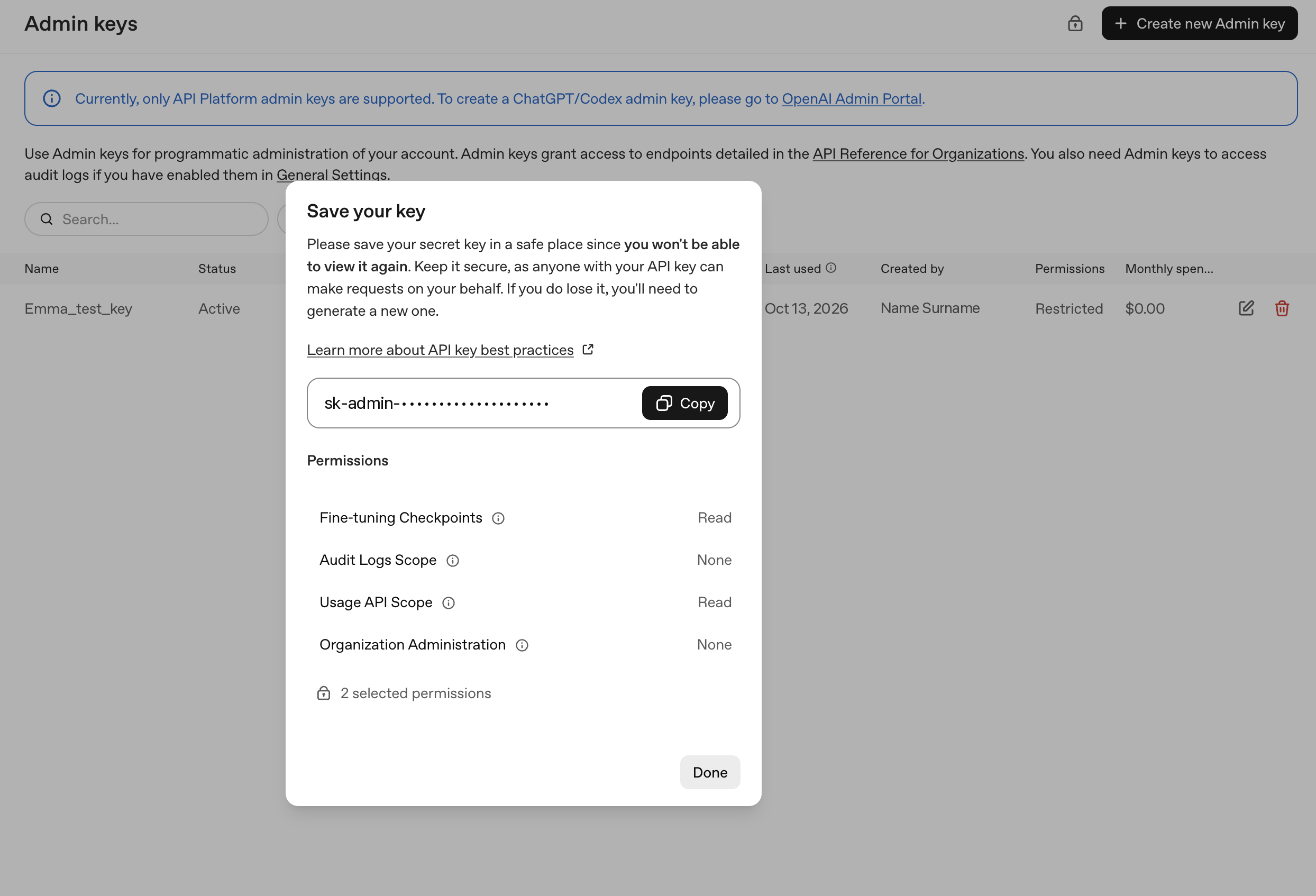
- Copy the key. It starts with
sk-admin-.
The key is shown only once. Copy it immediately.
Step 2 — Choose a backfill start date
Decide how far back emma should import historical costs on the first import. You enter this date in emma; nothing needs to be set up on the OpenAI side.
What to enter in emma
| Field | Value |
|---|---|
| Admin API key | Copied from Step 1 |
| Backfill start date | The date chosen in Step 2 |
What you should know
- Azure OpenAI is not included. OpenAI models used through Azure OpenAI Service are billed by Microsoft, not by OpenAI. That spend appears under your Azure data source.
- Figures for recent days can change. OpenAI may revise costs after emma first imports them. emma re-reads the last 30 days on every daily import, so recent figures in your dashboards may change.
- Where OpenAI costs appear. Expense Analysis, Budgets, and Data Export. OpenAI costs are not shown in Cost Breakdown, Resource Allocation, Allocation Optimizer, or Advisor — these work with individual resources, and OpenAI charges have none.
Last updated on 21 Oct 2026